
Introducing Rooms 4.0
Rooms 4.0 is our biggest update yet: a new home screen built around discovery, a dedicated home for creation, and a long list of improvements for both browsing and building.
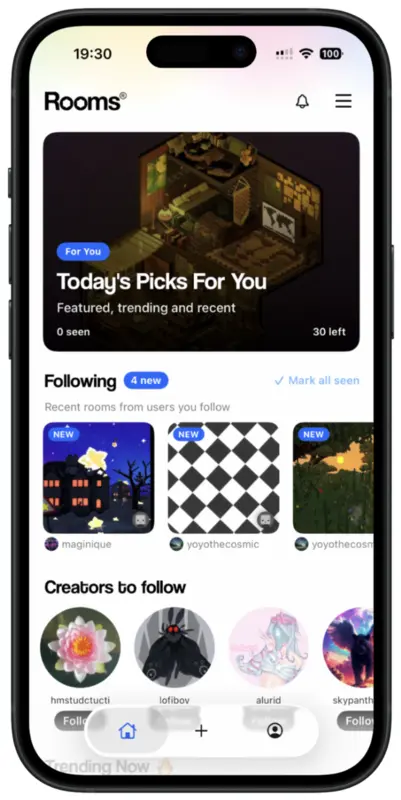
A Proper Home Screen
Previous versions of Rooms opened onto an infinite feed, consumed one room at a time. Rooms 4.0 replaces it with a real home screen that brings together daily picks, the creators you follow, new creators worth following, and what's trending right now.
Today's Picks for You
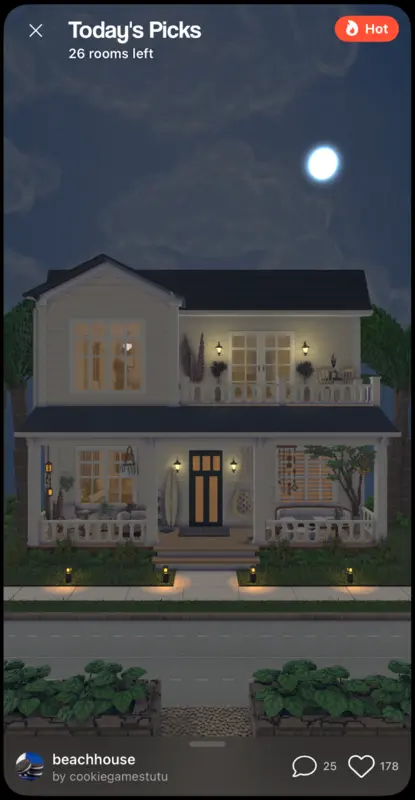
At the top of the home screen, Today's Picks for You delivers a daily selection of 30 rooms you haven't seen, drawn from featured, trending, and recent creations. It's finite by design: browse today's set, then go make something of your own.
Each room in Today's Picks now carries a badge (Featured, Hot, or Recent) so you always know why it's being shown to you.
Following, Front and Center
The new Following row shows rooms recently published by the creators you follow, with the ones you haven't seen yet marked as new. And this works both ways: when you publish a room, it appears above the fold on the home screen of every one of your followers.
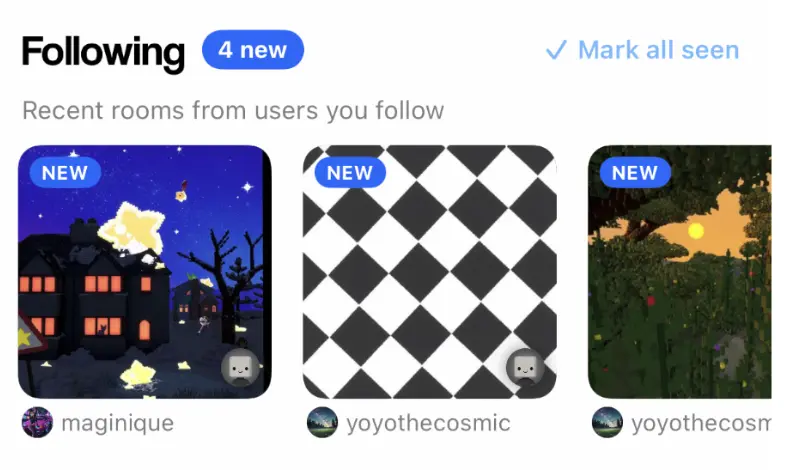
Following someone is easier too. The Creators to Follow section now includes Follow buttons directly in the row, so you can follow someone without opening their profile.

A Better Room Info Panel
The room info panel has been redesigned so it's clearly expandable, and it now slides open smoothly. Expand it to see the room's description, views, remixes, and featured status, along with quick actions: Photo, Remix, Favorite, and Share.

A New Home for Creation
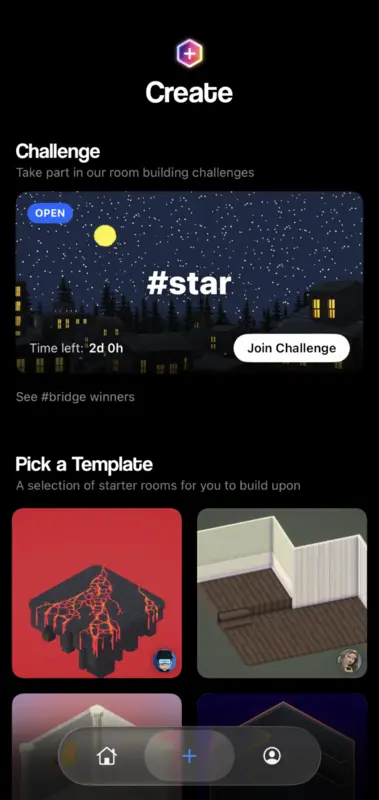
Navigation is now three simple tabs, matching the three things you do in Rooms: browse, create, be. Everything creative lives in the new Create page: start a room from scratch, take part in a building challenge, pick a starter template, or remix an existing room.
Introducing Activities
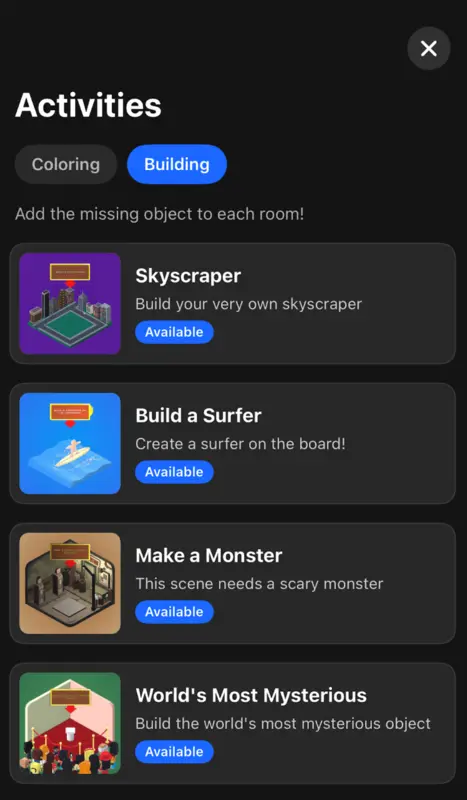
Rooms 4.0 also introduces Activities: guided builds with a small, focused scope, like adding the missing object to a scene, coloring a room, or building a surfer. They're a relaxed way to be creative without starting from a blank canvas, and each activity has its own gallery where you can see what everyone else made from the same prompt.
Also in 4.0
- Easy comment replies. React to comments with emojis and reply directly from the notifications tray, without opening the room.
- New fonts. New typefaces for text objects and speech bubbles, including Altera, a true monospace font. Text objects also gain vertical alignment options.
- A nicer menu. The main menu has been redesigned to be cleaner and easier to navigate.
- Free, as always. Everything in Rooms 4.0 is free, like the rest of Rooms.
Availability
Rooms 4.0 is available now on iOS and on the web at rooms.xyz.